Add-on for Minecraft Bedrock
A pastel slime ranch in your world
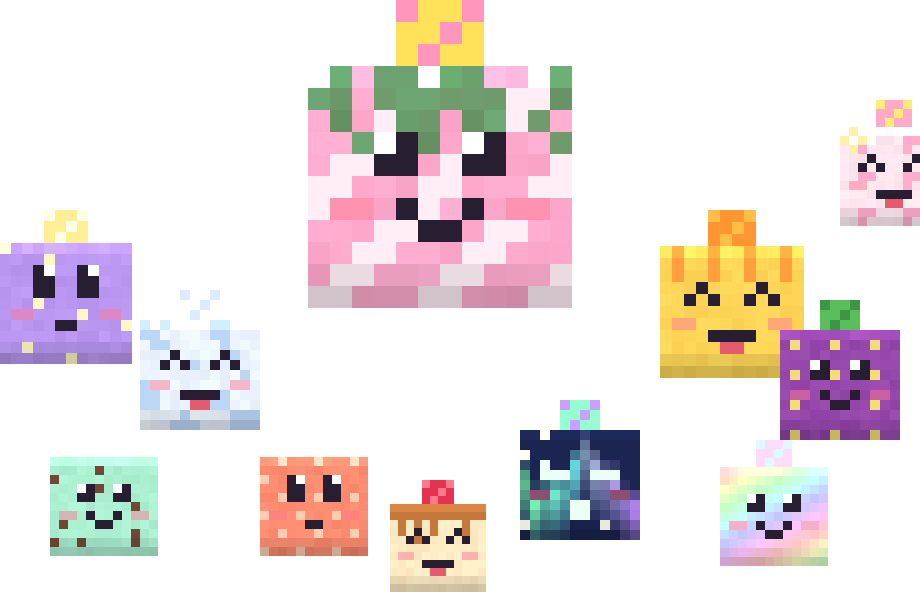
Catch, feed and cross-breed 32 kinds of adorable slimes, discover 496 largos and rare shiny slimes. Your whole world turns into a rainbow pastel land.
Free · Windows, Android, iPhone & iPad · requires the latest Minecraft Bedrock
What's inside?
Everything is also explained in the Slime Craft Guide book you receive the first time you join a world.
32
kinds of slimes
Each has its own look, gel, favourite toy and place where it spawns.
496
largos
Feed a slime next to one of a different kind and they fuse into a largo twice the size with the traits of both.
32
shiny slimes
Rare, sparkling versions – they give more gel but never form largos.
32
toys and a vacuum
Craft toys from gel and use the Slime Vacuum to collect slimes – it remembers their name and tamed state.
14
pastel blocks
Ranch Turf, Glimmer Crystal, Cloud Tiles and the Slime Barrier – a wall only players can walk through.
∞
a rainbow world
Pastel grass, water and trees in every biome, plus a rainbow inventory interface.

A guide book that explains everything
Every player gets the Slime Craft Guide on their first visit – an in-game book covering every slime, recipe, toy and mechanic.
Included in the add-on
The Slime Craft Guide
You never need to leave the game to learn Slime Craft. The guide book lands in your inventory the first time you join a world – hold it and use it to open an illustrated menu of chapters.
Lost it? Craft a new one from a book and any slime gel, or type /function ranch/guide.
A whole world in pastel
Slime Craft recolours every chunk – including ones generated later. Grass and leaves shift through the rainbow from biome to biome, trees get candy-striped bark, and every biome has its own water colour.
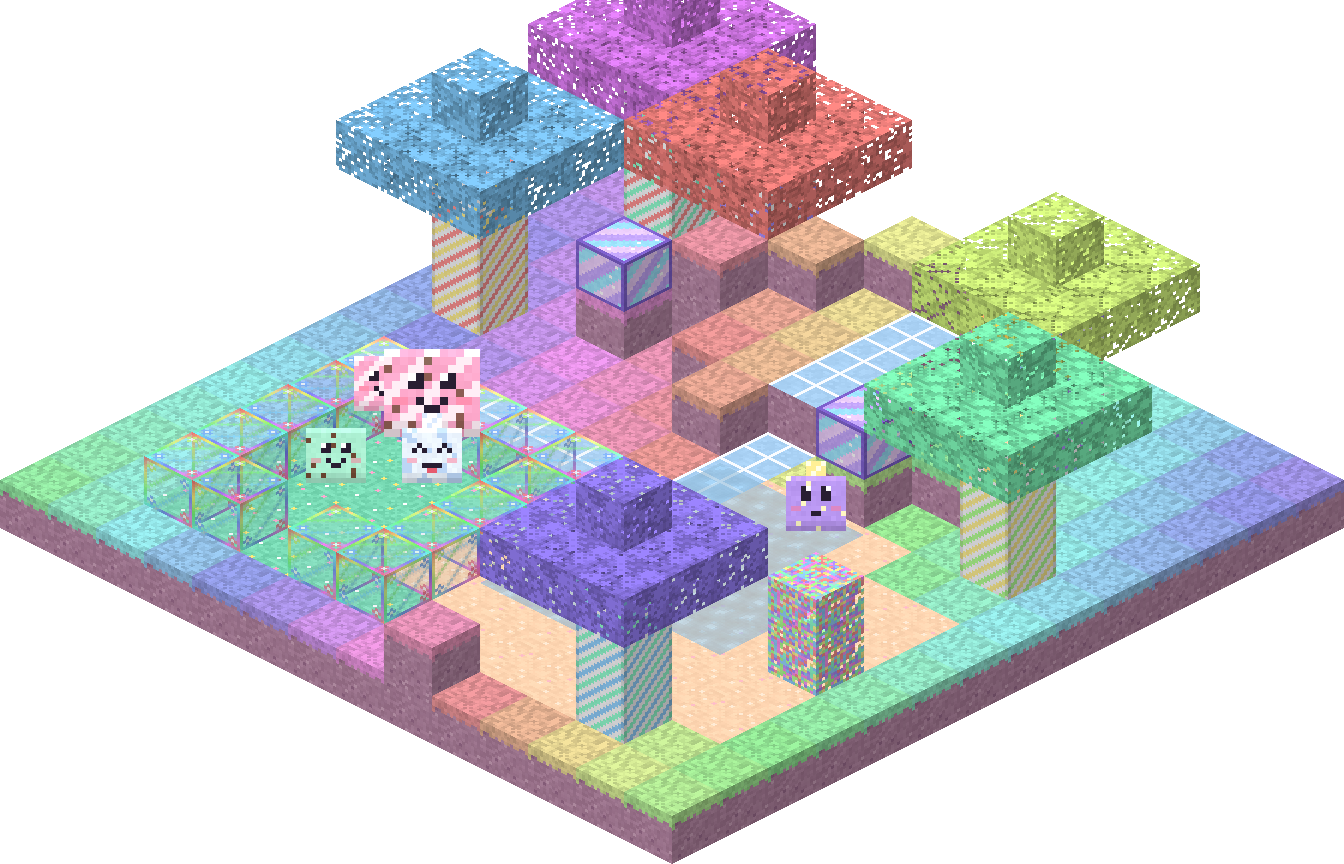
Rendered from the add-on's real textures: a corral of Slime Barrier blocks, a Cloud Tiles path, Glimmer Crystals, a pond and slimes roaming the ranch.
The Slime Craft palette
14 new blocks
Find them at the end of the Construction tab in Creative, or craft them from slime gel: 8 ordinary blocks around 1 gel make 8 pastel blocks.
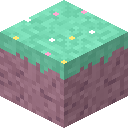
Ranch Turf
Pastel grass – the favourite ground of most slimes
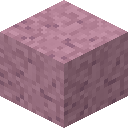
Candy Soil
Soft pastel dirt
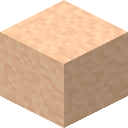
Peach Sand
Warm peach sand
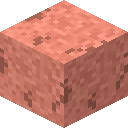
Coral Rock
Coral stone, used for Slime Barriers
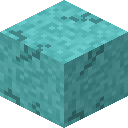
Lagoon Rock
Turquoise stone
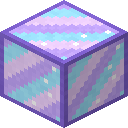
Glimmer Crystal
Glowing crystal – light level 12
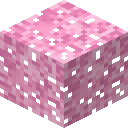
Blossom Leaves
Pink blossoming leaves
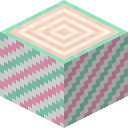
Candy Cane Log
Striped log – 1 log makes 4 Mint Wood
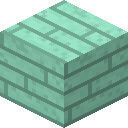
Mint Wood
Mint planks
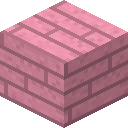
Rose Wood
Pink planks
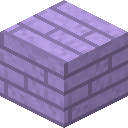
Lavender Wood
Lavender planks
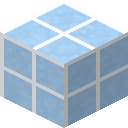
Cloud Tiles
Sky-blue tiles for paths
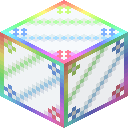
Slime Barrier
Players walk through, mobs can't – lets sunlight in
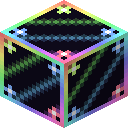
Shade Barrier
Like the Slime Barrier, but blocks sunlight
Feeding & breeding
Everything starts with a Sweetpod – craft two from an apple and sugar. Every single feeding does something right away: no waiting, no cooldown, and the slime becomes yours.



Same kind (or alone) → a baby
Feed a slime with another slime of the same kind within 6 blocks – or with no slime nearby – and a baby of that kind pops out. The fed slime is tamed: it follows you, never despawns and produces gel every 5–10 minutes.


Different kinds → a largo
Feed a slime standing next to a slime of another kind and both fuse into a largo: twice the size and health, the colour and face of one parent with the pattern and topper of the other. It drops and produces the gels of both parents and inherits their traits. Every pair of kinds makes exactly one largo – 496 in total. Largos can't breed.
Babies grow up instantly
Give a baby a Sweetpod and it becomes an adult straight away.

Shinies are picky
A shiny slime only breeds with a shiny of the same kind and never forms a largo.

Toys for happy slimes
Each kind has a favourite toy. Play with it for hearts and bonus gel, or leave it in the corral for tamed slimes.

Gel for crafting
Tamed slimes make gel on their own. Turn it into pastel blocks, toys and new guide books.

Move them with the vacuum
The Slime Vacuum turns a slime into its egg – keeping its name, tamed state and age – so you can carry it to a new corral.
Keep them safe
Zombies hunt slimes (except Mossy), five kinds burn in sunlight and Seafoam needs water. A Slime Barrier corral with a Shade Barrier roof solves all three.
Download
Current version: Slime Craft v1.29.0. Download the files on the device you play on.
Add-on · required
SlimeCraft.mcaddon
Slimes, blocks, items and the pastel world look. Contains the behavior pack and the resource pack.
Download add-on (about 3.5 MB)File: SlimeCraft.mcaddon · v1.29.0
Skin · optional
Juniper the Rancher
A rancher skin in overalls. Most reliable as a PNG image imported in the Dressing Room.
Download skin (PNG)
or download the skin pack: SlimeCraft_Skins.mcpack
Requirements
The latest Minecraft Bedrock Edition (Windows, Android, iPhone, iPad). The add-on does not work in Minecraft Java Edition.
Step-by-step installation
Choose your device:
Windows 10 and 11
- Download
SlimeCraft.mcaddon(it is saved to your Downloads folder). - Double-click it. Minecraft starts by itself and shows “Import started…”, then “Successfully imported”.
- In Minecraft choose Play → Create New (or edit an existing world).
- Open Behavior Packs → Available and activate Slime Craft v1.29.0. The resource pack is added automatically.
- Turn on Cheats if you want to use the add-on's commands.
- Create the world and play. The chat shows “Slime Craft v1.29.0 is installed and running”.
Manual installation
If double-clicking does nothing: rename the file to .zip, unzip it and copy the folders to%appdata%\Minecraft Bedrock\users\shared\games\com.mojang
– SlimeCraft_BP into behavior_packs, SlimeCraft_RP into resource_packs.
Android (phone and tablet)
- Download
SlimeCraft.mcaddonin your browser (e.g. Chrome). - Open the Files app (or My Files) and go to Downloads.
- Tap the file. When asked which app to open it with, choose Minecraft.
- Wait for the “Successfully imported” message.
- Create a new world, activate Slime Craft v1.29.0 under Behavior Packs and turn on Cheats.
- Play – the add-on version appears in chat when you join.
Saved as a .zip?
Some browsers change the extension. Rename it back to SlimeCraft.mcaddon in the Files app and tap it again.
iPhone and iPad
- Open this page in Safari, tap Download add-on, then Download.
- Open the Files app → Downloads.
- Tap
SlimeCraft.mcaddon. If a preview opens, tap Share and choose Minecraft. - Minecraft opens and imports the add-on – wait for “Successfully imported”.
- Create a new world, activate Slime Craft v1.29.0 under Behavior Packs and turn on Cheats.
- On a touch screen turn on the crosshair: Settings → Controls → Touch → Split controls – then aiming at a slime shows its name.
Skin on iPad
Save juniper_skin.png to Photos or Files, then in Minecraft: Dressing Room → Classic Skins → Owned → Import and pick the wide model.
macOS
There is no official Minecraft Bedrock for Mac.
Minecraft for macOS is the Java Edition – Slime Craft does not work there. Running the iPad app on a Mac has been blocked.
The proven route: Windows in Parallels Desktop
- Install Parallels Desktop with Windows 11 (the ARM version on Apple silicon Macs).
- In Windows, install Minecraft for Windows from the Microsoft Store or the Xbox app.
- Download
SlimeCraft.mcaddonin a browser inside Windows. - Then follow the Windows tab.
The game may run slower in a virtual machine than on a Windows PC.
Check that it works
When you join a world, the version number appears in chat and the Slime Craft Guide book is added to your inventory.
Something not working?
Chat shows an older version
The world has an old copy of the add-on saved inside it. In the world settings remove Slime Craft from the active behavior and resource packs, then add it again – or create a new world.
Import fails
Update Minecraft to the latest version and make sure the file ends in .mcaddon, not .zip.
Commands don't work
The /function ranch/… commands need Cheats turned on in the world settings.
Where are the new blocks?
In Creative, at the very end of the Construction tab. You can also search for “slime barrier” or “ranch turf”.